1) MongoDB Atlas
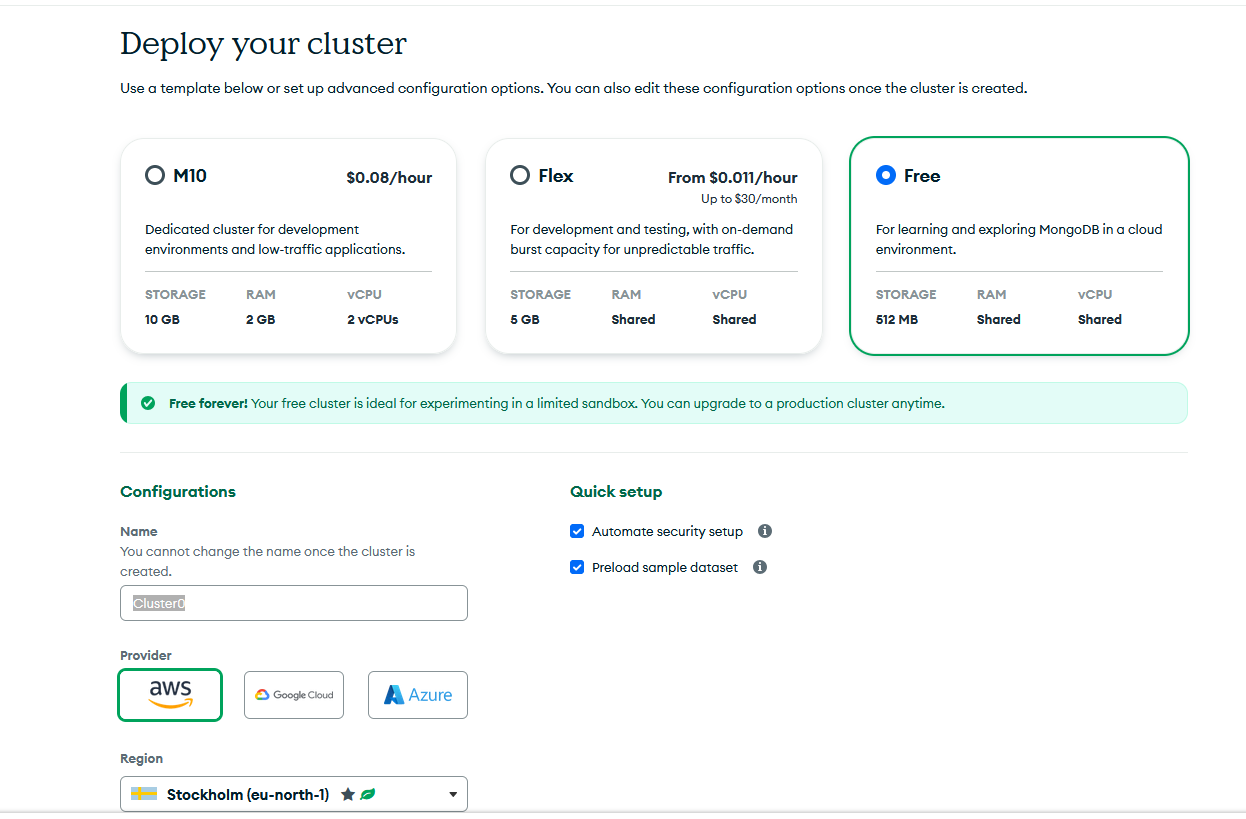
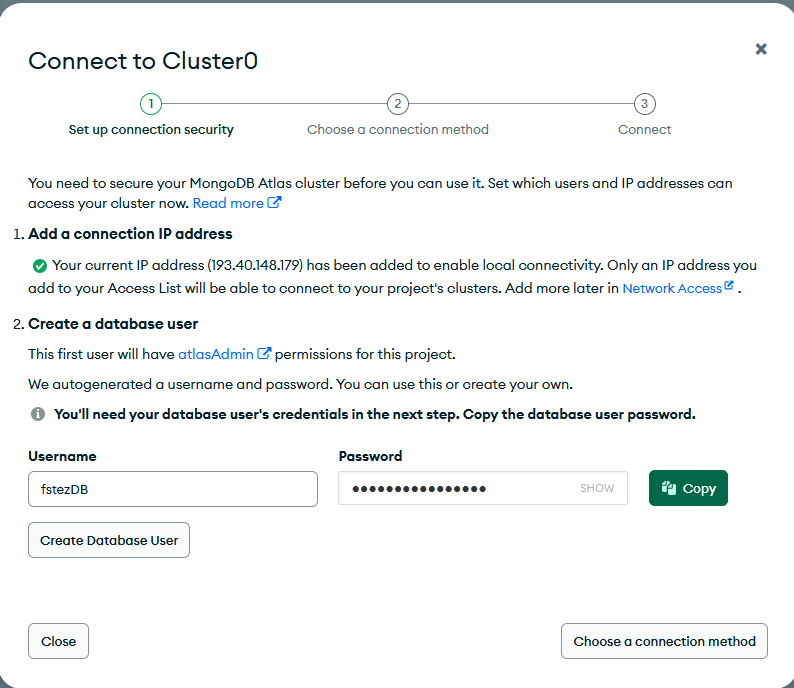
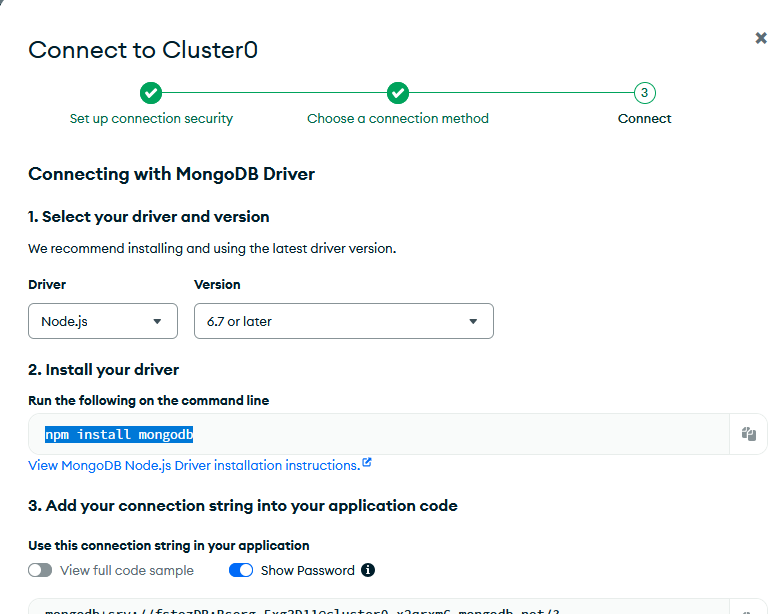
Alustame pilveandmebaasi loomisest teenuses MongoDB Atlas.
2) Paigaldamine
Projektis paigaldame vajalikud paketid ja seadistame keskkonnamuutujad.
npm install express swagger-ui-express mongoose dotenv.env fail projekti juurkaustas:
MONGODB_URI=mongodb+srv://<USER>:<PASS>@<CLUSTER>.mongodb.net/?retryWrites=true&w=majority&appName=Cluster03) Mongoose: mudel Game
Luuakse lihtne skeem, kus id on unikaalne, lisaks nimi ja hind.
// models/game.js
const mongoose = require('mongoose');
const gameSchema = new mongoose.Schema({
id: { type: Number, required: true, unique: true, index: true },
name: { type: String, required: true },
price:{ type: Number, required: true }
}, { timestamps: true });
module.exports = mongoose.model('Game', gameSchema);4) Express API rajad
All on näidised GET, POST, PUT, DELETE jaoks. Kui kasutad praegu mälus hoitavat massiivi, jätka nii; kui kolid MongoDB-le, asenda loogika Mongoose päringutega.
// index.js (põhiosa)
require('dotenv').config();
const express = require('express');
const swaggerUi = require('swagger-ui-express');
const swaggerDocument = require('./docs/swagger.json');
const mongoose = require('mongoose');
const Game = require('./models/game');
const app = express();
const port = process.env.PORT || 8080;
mongoose.connect(process.env.MONGODB_URI)
.then(() => console.log('Connected to MongoDB Atlas'))
.catch((err) => console.error('MongoDB connection error:', err));
app.use(express.json());
// DEMO: mälupõhine andmestik (vajadusel)
const games = [
{ id: 1, name: 'Witcher 3', price: 29.99 },
{ id: 2, name: 'Cyberpunk 2077', price: 59.99 },
{ id: 3, name: 'Minecraft', price: 26.99 }
];
// POST /games — loo uus
app.post('/games', (req, res) => {
const { name, price } = req.body;
if (name == null || price == null) {
return res.status(400).json({ error: 'One or all params are missing' });
}
const game = { id: games.length + 1, name, price };
games.push(game);
res.status(201)
.location(`${getBaseUrl(req)}/games/${game.id}`)
.json(game);
});
// GET /games — nimed (otsing + sorteerimine)
app.get('/games', (req, res) => {
const { q, order = 'asc' } = req.query;
if (!['asc', 'desc'].includes(order)) {
return res.status(400).json({ error: 'Invalid order. Use asc or desc.' });
}
let list = games.map(g => g.name);
if (q?.trim()) {
const s = q.toLowerCase();
list = list.filter(n => n.toLowerCase().includes(s));
}
list.sort((a, b) => a.localeCompare(b));
if (order === 'desc') list.reverse();
res.json(list);
});
// GET /games/:id — detailid
app.get('/games/:id', (req, res) => {
const id = Number(req.params.id);
if (!Number.isInteger(id) || id <= 0) {
return res.status(400).json({ error: 'Invalid id. Must be a positive integer.' });
}
const game = games.find(g => g.id === id);
if (!game) return res.status(404).json({ error: `Game with id=${id} not found` });
res.json(game);
});
// DELETE /games/:id — kustuta
app.delete('/games/:id', (req, res) => {
const id = Number(req.params.id);
if (!Number.isInteger(id) || id <= 0) {
return res.status(400).json({ error: 'Invalid id. Must be a positive integer.' });
}
const idx = games.findIndex(g => g.id === id);
if (idx === -1) return res.status(404).json({ error: 'Game not found' });
games.splice(idx, 1);
res.status(204).end();
});
// Swagger UI
app.use('/docs', swaggerUi.serve, swaggerUi.setup(swaggerDocument));
app.get('/', (req, res) => res.redirect('/docs'));
app.listen(port, () => console.log(`API up at: http://localhost:${port}`));
function getBaseUrl(req) {
const protocol = (req.connection && req.connection.encrypted) ? 'https' : 'http';
return `${protocol}://${req.headers.host}`;
}Game.find(), Game.create(),
Game.findOneAndUpdate(), Game.findOneAndDelete().
5) Testimine
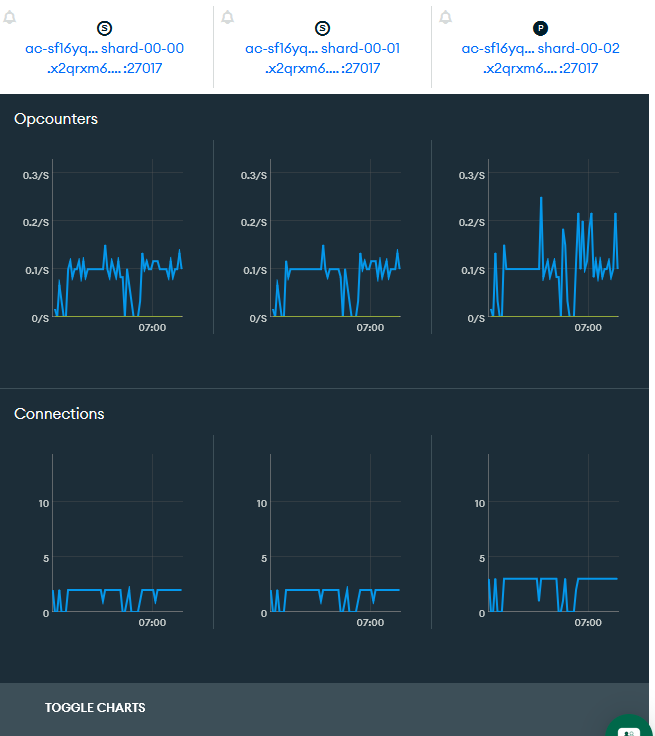
Käivita server ja testi Swagger UI kaudu.
definitions (Swagger 2.0) on juurtasandil ja
$ref viited on õiged (näide: #/definitions/Error).
>Tegime frontend
Teeme uus fail index.html
Ja lisa bootstrap
<link href="https://cdn.jsdelivr.net/npm/bootstrap@5.3.0/dist/css/bootstrap.min.css" rel="stylesheet"
  integrity="sha384-9ndCyUaIbzAi2FUVXJi0tK3uK8e7YQ8t27NXFoaoApmYm81iuXoPkFOJwJ8ERdknLPMO" crossorigin="anonymous">
Lisa mängude loendi jaoks HTML tabel
<table class="table table-striped table-borded">
    <tr>
        <th>Name</th>
        <th>Price</th>
    </tr>
    <tr>
        <td>Minecraft</td>
        <td>26.99</td>
    </tr>
</table>
Kasuta JavaScripti, et laadida mängud API-st ja kuvada need tabelis
<<script src="https://cdn.jsdelivr.net/npm/bootstrap@5.3.8/dist/js/bootstrap.bundle.min.js"
        integrity="sha384-FKyoEForCGlyvwx9Hj09JcYn3nv7wiPVlz7YYwJrWVcXK/BmnVDxM+D2scQbITxI"
        crossorigin="anonymous"></script>
Lisa Vue.js
Lisa <script>
<script src="https://unpkg.com/vue@3/dist/vue.global.js"></script>Kirjutame script'i
const vue = Vue.createApp({
            data() {
                return {
                    games: [
                        { id: 1, name: "Witcher 3", price: 29.99 },
                        { id: 2, name: "Cyberpunk 2077", price: 59.99 },
                        { id: 3, name: 'Minecraft', price: 26.99 }
                    ]
                }
            }
        }).mount('#app');
Ja uuenda html:
<div id="app">
    <table class="table table-striped table-borded">
        <tr>
            <th>Name</th>
            <th>Price</th>
        </tr>
        <tr v-for="game in games">
            <td>{{ game.name }}</td>
            <td>{{ game.price }}</td>
        </tr>
    </table>
</div>

Lisa cors ja fetch
Paigalda cors npm i cors
Lisa serverisse:
const cors = require('cors');
app.use(cors());
Ja fetch frontendis uuenda kood:
const vue = Vue.createApp({
            data() { return { games: [] } },
            async created() {
                const res = await fetch('/games');
                this.games = await res.json();
            }
        }).mount('#app');
Modal vaate lisamine ja modalisse andmete saamine APIst
Lisa uus koodi .html'is
                <div class="modal" tabindex="-1" id="gameInfoModal">
                <div class="modal-dialog">
                <div class="modal-content">
                    <div class="modal-header">
                        <h5 class="modal-title">Game info<h5>
                        <button type="button" class="btn-close" data-bs-dismiss="modal"><button>
                    <div>
                    <div class="modal-body">
                        <table class="table table-striped">
                            <tr>
                                <th>ID<th>
                                <td>{{ gameInModal.id }}<td>
                            <tr>
                            <tr>
                                <th>Name$lt;th>
                                <td>{{ gameInModal.name }}<td>
                            <tr>
                            <tr>
                                <th>Price<th>
                                <td>{{ gameInModal.price }}<td>
                            <tr>
                        <table>
                    <div>
                    <div class="modal-footer">
                        <button type="button" class="btn btn-secondary" data-bs-dismiss="modal">Close<button>
                    <div>
                <div>
            <div>
        <div>
Ja uuenda script
                const vue = Vue.createApp({
            data() {
                return {
                    games: [],
                    gameInModal: {}
                };
            },
            async created() {
                const res = await fetch('http://localhost:8080/games');
                this.games = await res.json();
            },
            methods: {
                async getGame(id) {
                    const res = await fetch(`http://localhost:8080/games/${id}`);
                    this.gameInModal = await res.json();
                    const modal = new bootstrap.Modal(document.getElementById('gameInfoModal'));
                    modal.show();
                }
            }
        }).mount('#app');

Uuendatud
Ma uuendasin koodi ja see näeb:

Seal töötab uuendamine, kustutamine ja lisamine on ka... kood...
Ja samuti kui sa tahad lisa veebilehelt
